Healthcare organizations increasingly rely on cloud platforms, digital records, telehealth services, and third-party vendors to deliver care. As sensitive patient information moves across more systems, protecting that data becomes both a legal obligation and a business priority. This is where HIPAA compliance comes in.

Many organizations begin their research by searching for HIPAA compliance certification, assuming there’s an official certificate they must obtain. In reality, that’s one of the biggest misconceptions about HIPAA.

There is no government-issued HIPAA certification. The U.S. Department of Health and Human Services (HHS) does not certify organizations, software, or individuals as HIPAA compliant. Instead, organizations demonstrate compliance by implementing the safeguards required under HIPAA and maintaining evidence that those safeguards are working effectively.

This guide explains what HIPAA compliance certification actually means, who must comply, the core requirements, how to build a compliance program, and the mistakes organizations should avoid.

HIPAA compliance certification usually refers to either an employee training certificate or a third-party assessment of an organization’s HIPAA program. It is not an official certification issued by the U.S. government. HIPAA compliance is achieved by implementing administrative, physical, and technical safeguards that protect Protected Health Information (PHI).

What Is HIPAA?

The Health Insurance Portability and Accountability Act (HIPAA) is a U.S. federal law enacted in 1996 to safeguard sensitive patient information.

HIPAA establishes standards for how healthcare organizations and their partners collect, use, store, transmit, and disclose Protected Health Information (PHI). The law also grants patients certain rights over their medical records while requiring organizations to implement reasonable security and privacy measures.

Today, HIPAA plays a central role in healthcare cybersecurity, particularly as organizations adopt cloud computing, mobile applications, and digital health platforms.

What Does HIPAA Compliance Certification Mean?

Although the term is widely used, HIPAA regulations never define an official certification program.

Instead, organizations generally use the phrase in one of two ways.

Employee Training Certificates

Healthcare organizations regularly provide HIPAA awareness training to employees. After completing the course, participants receive a certificate confirming they have completed the training.

This certificate demonstrates that an employee has received HIPAA education, but it does not certify the organization itself.

Third-Party Compliance Assessments

Many organizations hire compliance consultants or cybersecurity firms to review their HIPAA program.

These assessments typically evaluate:

  • Security policies
  • Risk assessments
  • Technical safeguards
  • Employee training
  • Vendor management
  • Documentation

The resulting report or attestation can help demonstrate due diligence to customers and business partners, but it is not a substitute for regulatory compliance.

Likewise, software cannot be officially “HIPAA certified.” Applications may include features such as encryption, audit logs, and access controls that support compliance, but compliance ultimately depends on how the software is configured and managed.

Who Must Comply with HIPAA?

HIPAA applies to two primary categories of organizations.

Covered Entities

Covered entities directly provide healthcare services or manage healthcare information.

Examples include:

  • Hospitals
  • Physician practices
  • Clinics
  • Dental offices
  • Pharmacies
  • Health insurance companies
  • Healthcare clearinghouses

These organizations are responsible for protecting patient information throughout its lifecycle.

Business Associates

Business associates create, receive, store, or process Protected Health Information on behalf of covered entities.

Examples include:

  • Medical billing companies
  • Healthcare SaaS providers
  • Cloud hosting companies
  • Telehealth platforms
  • IT service providers
  • Medical transcription companies
  • Data backup providers
  • Cybersecurity vendors

Business associates are also responsible for complying with applicable HIPAA requirements and generally operate under a Business Associate Agreement (BAA) that defines their obligations.

The Three HIPAA Security Safeguards

The HIPAA Security Rule groups compliance requirements into three categories.

SafeguardPurposeExamples
AdministrativeGovernance and risk managementRisk assessments, employee training, security policies, incident response planning
PhysicalProtect facilities and devicesFacility access controls, secure workstations, device inventories, hardware disposal
TechnicalProtect electronic PHIEncryption, multi-factor authentication, access controls, audit logs, secure backups

An effective compliance program requires all three categories to work together. Technology alone cannot ensure compliance without documented procedures and trained employees.

How to Become HIPAA Compliant

Building a HIPAA compliance program requires planning, documentation, and ongoing improvement.

1. Identify Your Compliance Responsibilities

Determine whether your organization is a covered entity or a business associate. Understanding your role helps define which HIPAA obligations apply.

2. Perform a Risk Assessment

A security risk assessment identifies potential threats, vulnerabilities, and weaknesses that could expose Protected Health Information.

This assessment forms the foundation of every effective HIPAA compliance program.

3. Create Policies and Procedures

Document how your organization manages:

  • Access controls
  • Password policies
  • Incident reporting
  • Data retention
  • Privacy practices
  • Device management
  • Workforce responsibilities

Written documentation is essential because regulators expect organizations to demonstrate—not simply claim—compliance.

4. Train Employees

Employees should understand how to:

  • Recognize phishing attacks
  • Handle PHI securely
  • Report suspicious activity
  • Follow organizational privacy policies

Training should be refreshed whenever significant policy or technology changes occur.

5. Implement Security Controls

Deploy appropriate safeguards to protect electronic Protected Health Information, including:

  • Encryption
  • Role-based access
  • Multi-factor authentication
  • Audit logging
  • Endpoint protection
  • Secure backups
  • Continuous monitoring

6. Manage Third-Party Vendors

Organizations should evaluate vendors that handle PHI, execute Business Associate Agreements where required, and periodically review vendor security practices.

7. Continuously Improve

HIPAA compliance is not a one-time project.

Organizations should regularly:

  • Update risk assessments
  • Review policies
  • Test incident response procedures
  • Apply security patches
  • Monitor systems for unusual activity

Continuous improvement helps organizations adapt to changing cybersecurity threats and regulatory expectations.

Benefits of HIPAA Compliance

A well-managed compliance program delivers benefits beyond avoiding regulatory penalties.

Protects Patient Trust

Patients expect healthcare organizations to safeguard their personal information. Strong privacy practices reinforce confidence in your services.

Reduces Cybersecurity Risk

Risk assessments, employee awareness, and layered security controls reduce the likelihood of data breaches, ransomware attacks, and unauthorized access.

Strengthens Business Relationships

Healthcare organizations increasingly evaluate vendors’ security practices before sharing sensitive information.

Supports Business Growth

Many healthcare procurement processes require vendors to demonstrate mature security and compliance practices, making HIPAA compliance a competitive advantage.

Common HIPAA Compliance Mistakes

Organizations frequently encounter compliance issues because of governance gaps rather than technology failures.

Some of the most common mistakes include:

  • Assuming a third-party badge proves compliance
  • Failing to perform regular risk assessments
  • Weak password and access management policies
  • Insufficient employee training
  • Missing Business Associate Agreements
  • Poor documentation
  • Ignoring audit logs
  • Delaying software updates and vulnerability remediation

Most of these issues can be avoided through regular reviews and continuous security improvement.

Costs and Consequences

The cost of HIPAA compliance varies depending on the size and complexity of an organization.

Small medical practices may primarily invest in training, policy development, and periodic risk assessments, while larger healthcare systems often require dedicated compliance teams, enterprise security tools, and continuous monitoring.

Failing to comply can be far more expensive than investing in prevention. HIPAA violations may lead to government investigations, corrective action plans, financial penalties, legal expenses, reputational damage, and loss of customer trust.

Organizations that maintain documented compliance programs and promptly address identified risks are generally better prepared during regulatory reviews.

Frequently Asked Questions

Is HIPAA certification required?

No. HIPAA does not require organizations to obtain an official certification. Compliance is based on implementing and maintaining appropriate safeguards.

Does the government issue HIPAA certificates?

No. The U.S. Department of Health and Human Services does not certify organizations, software, or individuals as HIPAA compliant.

Can software be HIPAA certified?

No. Software can include security features that support HIPAA compliance, but compliance depends on how those features are implemented and managed.

How often should HIPAA risk assessments be performed?

Organizations should conduct risk assessments regularly and whenever significant operational or technology changes occur. Many organizations perform formal assessments annually.

Who is responsible for HIPAA compliance?

Responsibility extends across the organization, including leadership, IT teams, employees, and business associates that handle Protected Health Information.

Do cloud service providers need to comply with HIPAA?

Cloud providers that store, process, or transmit Protected Health Information for healthcare organizations generally function as business associates and must meet applicable HIPAA requirements.

Conclusion

Although HIPAA compliance certification is a popular search term, organizations should focus on achieving and maintaining compliance rather than obtaining a certificate. A strong HIPAA program combines documented policies, employee training, risk assessments, vendor oversight, and appropriate technical safeguards to protect patient information.

Compliance is an ongoing process that evolves alongside technology, business operations, and cybersecurity threats. Organizations that invest in continuous improvement not only reduce regulatory risk but also strengthen patient trust, improve operational resilience, and build stronger relationships with customers and partners.

As cybersecurity threats continue to evolve, organizations working with the U.S. Department of Defense (DoD) must demonstrate strong security practices to protect sensitive government information. Achieving Cybersecurity Maturity Model Certification (CMMC) is now an essential requirement for many defense contractors.

However, before pursuing certification, businesses need to understand their current cybersecurity posture. This is where a CMMC gap analysis becomes invaluable. It helps identify security weaknesses, compliance gaps, and the actions required to meet CMMC requirements.

In this guide, we’ll explain what a CMMC gap analysis is, why it matters, and how to perform one successfully.

What Is a CMMC Gap Analysis?

A CMMC gap analysis is a structured assessment that compares your organization’s existing cybersecurity controls against the requirements of the Cybersecurity Maturity Model Certification (CMMC) framework.

The purpose is to identify missing security controls, incomplete documentation, and operational weaknesses that could prevent your organization from achieving certification.

Rather than waiting until an official assessment, a gap analysis allows organizations to proactively address issues and strengthen their security posture before the certification process begins.

Why Is a CMMC Gap Analysis Important?

Conducting a gap analysis offers several advantages:

  • Identifies compliance deficiencies early
  • Reduces the risk of failing a CMMC assessment
  • Prioritizes remediation efforts
  • Improves cybersecurity maturity
  • Saves time and implementation costs
  • Increases confidence during certification audits

For organizations handling Federal Contract Information (FCI) or Controlled Unclassified Information (CUI), a gap analysis provides a clear roadmap toward compliance.

Step-by-Step Process to Conduct a CMMC Gap Analysis

Step 1: Determine Your Required CMMC Level

The first step is understanding which CMMC level applies to your organization.

Different contracts require different levels of cybersecurity controls depending on the sensitivity of the information involved. Identifying your target level helps define the exact requirements you’ll need to satisfy.

Understanding your compliance target prevents unnecessary work and ensures your assessment focuses on the correct security controls.

Step 2: Define the Assessment Scope

Clearly identify which systems, networks, applications, users, and business processes fall within the scope of your assessment.

This typically includes:

  • IT infrastructure
  • Cloud environments
  • End-user devices
  • Data storage systems
  • Third-party services
  • Security management tools

Proper scoping ensures no critical assets are overlooked while avoiding unnecessary assessment of unrelated systems.

Step 3: Gather Existing Documentation

Collect all security-related documentation before beginning the assessment.

Important documents include:

  • Information security policies
  • Access control procedures
  • Incident response plans
  • Risk assessments
  • Asset inventories
  • Employee security training records
  • Network architecture diagrams

Well-organized documentation significantly simplifies the gap analysis process.

Step 4: Review Current Security Controls

Evaluate your organization’s existing cybersecurity controls against CMMC requirements.

Focus on areas such as:

  • Multi-factor authentication (MFA)
  • Identity and access management
  • Encryption
  • Vulnerability management
  • Endpoint protection
  • Security monitoring
  • Backup and recovery
  • Audit logging

Determine whether each control is fully implemented, partially implemented, or missing entirely.

Step 5: Interview Key Stakeholders

Documentation alone rarely tells the full story.

Speak with personnel responsible for:

  • IT operations
  • Security management
  • Human resources
  • Compliance
  • Executive leadership

These interviews often uncover operational practices that differ from documented procedures and help validate how security controls function in day-to-day operations.

Step 6: Identify Compliance Gaps

After reviewing documentation, systems, and operational processes, compare your findings against CMMC requirements.

Document each gap by recording:

  • Missing controls
  • Weak security practices
  • Policy deficiencies
  • Technical vulnerabilities
  • Risk level
  • Business impact

Creating a comprehensive gap register helps prioritize future remediation efforts.

Step 7: Develop a Remediation Plan

Once gaps have been identified, create a practical remediation roadmap.

Your plan should include:

  • Required corrective actions
  • Responsible team members
  • Implementation deadlines
  • Budget estimates
  • Progress tracking metrics

Prioritize high-risk issues first to improve security while accelerating certification readiness.

Common Challenges During a CMMC Gap Analysis

Organizations often encounter several obstacles, including:

  • Incomplete documentation
  • Legacy systems lacking modern security controls
  • Limited cybersecurity expertise
  • Insufficient evidence for implemented controls
  • Inconsistent security policies across departments

Addressing these challenges early can reduce delays during the official assessment process.

Best Practices for a Successful Gap Analysis

To maximize the value of your assessment:

  • Begin preparation well before certification deadlines.
  • Involve both technical and business stakeholders.
  • Keep documentation current and organized.
  • Validate technical controls through testing rather than assumptions.
  • Use recognized cybersecurity frameworks to support compliance efforts.
  • Review and update your remediation plan regularly.

A proactive approach not only improves compliance but also strengthens your organization’s overall cybersecurity resilience.
Frequently Asked Questions

How long does a CMMC gap analysis take?

For most small and medium-sized organizations, a CMMC gap analysis can take 2–8 weeks, depending on the size of the IT environment, documentation quality, and the complexity of security controls.

Is a CMMC gap analysis mandatory?

No. A gap analysis is not a formal CMMC requirement, but it is widely recommended because it helps organizations identify deficiencies before an official assessment.

What is the biggest benefit of a CMMC gap analysis?

The greatest benefit is early identification of compliance gaps, allowing organizations to remediate issues before certification, reducing both cost and assessment risk.

Can a small business perform its own CMMC gap analysis?

Yes, but many organizations engage cybersecurity consultants to ensure the assessment accurately reflects CMMC requirements and produces an actionable remediation plan.

Final Thoughts

A CMMC gap analysis is much more than a compliance exercise—it’s a strategic evaluation of your organization’s cybersecurity readiness. By identifying weaknesses before a formal assessment, businesses can reduce risk, streamline remediation, and improve their chances of achieving certification on the first attempt.

Whether you’re just beginning your CMMC journey or preparing for an upcoming assessment, investing time in a thorough gap analysis provides a clear roadmap toward stronger security and long-term compliance.

Cybersecurity threats are constantly evolving, making proactive security assessments essential for every organization. Two of the most common security assessment methods are penetration testing and vulnerability scanning. Although they are often mentioned together, they serve different purposes.

A vulnerability scan identifies known security weaknesses using automated tools, while a penetration test safely exploits vulnerabilities to determine whether attackers could gain unauthorized access. Understanding both helps organizations improve security, meet compliance requirements, and reduce cyber risks.

What is the difference between penetration testing and vulnerability scanning?

  • Vulnerability Scanning automatically detects known security flaws, missing patches, and misconfigurations.
  • Penetration Testing simulates real cyberattacks to determine whether vulnerabilities can be exploited and what impact they could have.

The two approaches complement each other and should be used together as part of a comprehensive cybersecurity strategy.

What Is Vulnerability Scanning?

Vulnerability scanning is an automated cybersecurity assessment that identifies known weaknesses across networks, servers, endpoints, cloud environments, and applications.

Security scanning tools compare systems against vulnerability databases to detect outdated software, insecure configurations, exposed services, and known Common Vulnerabilities and Exposures (CVEs).

What Does a Vulnerability Scan Identify?

  • Missing security patches
  • Outdated operating systems
  • Known CVEs
  • Weak passwords or default credentials
  • Open ports and exposed services
  • Security misconfigurations
  • SSL/TLS configuration issues
  • Compliance-related vulnerabilities

Benefits of Vulnerability Scanning

  • Fast and automated
  • Continuous security monitoring
  • Cost-effective
  • Supports compliance requirements
  • Prioritizes vulnerabilities based on risk
  • Improves patch management

Limitations

Vulnerability scanning identifies potential weaknesses but does not verify whether they are exploitable. As a result, organizations receive a list of findings without understanding the actual business impact.

What Is Penetration Testing?

Penetration testing (or pen testing) is a controlled cybersecurity assessment performed by ethical hackers who simulate real-world attacks.

Instead of simply identifying vulnerabilities, penetration testers attempt to exploit them in a safe environment. This process helps organizations understand how attackers could compromise systems and what damage they might cause.

What Happens During a Penetration Test?

A penetration test typically includes:

  • Reconnaissance and information gathering
  • Vulnerability identification
  • Controlled exploitation
  • Privilege escalation testing
  • Lateral movement assessment
  • Validation of security controls
  • Documentation of findings and remediation recommendations

Benefits of Penetration Testing

  • Validates exploitable vulnerabilities
  • Simulates real attack scenarios
  • Identifies hidden attack paths
  • Measures security control effectiveness
  • Assesses business impact
  • Strengthens overall cyber resilience

Limitations

Penetration testing requires experienced security professionals, takes longer than automated scanning, and is usually conducted periodically rather than continuously.

Penetration Testing vs. Vulnerability Scanning: Key Differences

FeatureVulnerability ScanningPenetration Testing
PurposeDetect known vulnerabilitiesSimulate real cyberattacks
MethodAutomatedManual with automated tools
ExploitationNoYes
Risk ValidationLimitedComprehensive
Time RequiredMinutes to hoursDays to weeks
ExpertiseLowHigh
FrequencyWeekly or monthlyAnnually or after major changes
OutputVulnerability reportDetailed attack and remediation report

When Should You Use Vulnerability Scanning?

Regular vulnerability scanning is recommended for organizations that want continuous visibility into their security posture.

Common use cases include:

  • Routine IT security assessments
  • Patch management
  • Compliance monitoring
  • Cloud security reviews
  • Network security monitoring
  • Continuous vulnerability management

Most organizations schedule scans weekly or monthly to detect newly discovered vulnerabilities quickly.

When Should You Perform Penetration Testing?

Penetration testing is best performed when organizations need to validate the effectiveness of their security controls.

Recommended situations include:

  • Before launching a new application
  • After infrastructure upgrades
  • Following major configuration changes
  • Before compliance audits
  • After cloud migrations
  • As part of annual cybersecurity assessments

Penetration testing helps identify risks that automated scanners cannot detect.

Why Businesses Need Both

A common misconception is that vulnerability scanning can replace penetration testing. In reality, they address different aspects of cybersecurity.

Vulnerability scanning continuously identifies known weaknesses, while penetration testing demonstrates whether those weaknesses can be exploited by attackers.

Using both provides:

  • Continuous vulnerability detection
  • Real-world attack validation
  • Better risk prioritization
  • Stronger regulatory compliance
  • Improved security posture
  • Greater confidence in existing security controls

Organizations that combine both approaches are better prepared to prevent, detect, and respond to cyber threats.

Best Practices for Security Assessments

To maximize cybersecurity effectiveness:

  • Schedule automated vulnerability scans regularly.
  • Prioritize remediation based on risk and business impact.
  • Perform penetration testing at least annually or after significant infrastructure changes.
  • Re-test systems after remediation.
  • Continuously monitor assets for newly disclosed vulnerabilities.
  • Maintain an up-to-date asset inventory.
  • Train employees on cybersecurity awareness.

In today’s digital economy, compliance is no longer just about passing audits or meeting regulatory requirements. Organizations are expected to demonstrate that they can protect sensitive information, manage cybersecurity risks, and maintain customer trust at all times. As cyber threats become more sophisticated and privacy regulations continue to evolve, businesses must adopt a proactive approach to information security.

Frameworks such as ISO 27001, HIPAA, and SOC 2 provide organizations with structured approaches to managing risk, protecting sensitive data, and strengthening operational resilience. Rather than treating compliance as a one-time project, successful organizations integrate these frameworks into their daily operations to build a lasting culture of compliance.

At Prowise Systems, our compliance consultants help organizations across healthcare, SaaS, IT services, fintech, and other regulated industries implement practical compliance programs that support business growth while meeting global security expectations.

What Is a Culture of Compliance?

A culture of compliance is an organizational mindset where security, privacy, and regulatory responsibilities become part of everyday business operations. Compliance is not limited to the IT or legal department—it involves leadership, employees, and business processes working together to protect sensitive information.

Organizations with a strong compliance culture typically:

  • Promote leadership commitment to information security.
  • Provide ongoing employee security awareness training.
  • Maintain clear and documented policies.
  • Continuously monitor security risks.
  • Regularly review and improve security controls.
  • Encourage accountability across all departments.

When compliance becomes part of everyday decision-making, organizations reduce security risks while improving operational efficiency and customer confidence.

Why Compliance Matters More Than Ever

Modern businesses face increasing pressure to secure customer information and demonstrate responsible data management.

Rising Cybersecurity Threats

Cyberattacks continue to grow in both frequency and sophistication. Ransomware, phishing attacks, insider threats, and cloud security incidents can disrupt operations and damage customer trust. A structured compliance program helps organizations identify vulnerabilities before they become security incidents.

Stronger Regulatory Expectations

Governments and industry regulators continue introducing stricter privacy and cybersecurity requirements. Organizations that proactively implement recognized security frameworks are better prepared to meet evolving compliance obligations.

Customer and Partner Expectations

Enterprise customers increasingly expect vendors to demonstrate their security posture before signing contracts. Certifications and independent assessments such as ISO 27001 and SOC 2 often serve as proof that an organization follows recognized security best practices.

Business Growth

Strong compliance programs improve operational maturity, simplify vendor assessments, and help organizations expand into regulated industries and international markets.

Understanding ISO 27001, HIPAA, and SOC 2

Although these frameworks have different objectives, they all help organizations establish stronger security governance and protect sensitive information.

ISO 27001

ISO 27001 is the international standard for establishing, implementing, maintaining, and continually improving an Information Security Management System (ISMS).

Key lessons from ISO 27001 include:

  • Perform regular risk assessments to identify emerging threats.
  • Implement security controls based on business risks.
  • Ensure leadership actively supports security initiatives.
  • Continuously improve the security management system using the Plan-Do-Check-Act (PDCA) methodology.
  • Monitor and review security performance on an ongoing basis.

ISO 27001 provides organizations with a structured framework that supports long-term information security and continuous improvement.

HIPAA

The Health Insurance Portability and Accountability Act (HIPAA) establishes security and privacy requirements for organizations that create, receive, maintain, or transmit Protected Health Information (PHI).

Important HIPAA principles include:

  • Restrict access using least-privilege principles.
  • Protect sensitive healthcare information through administrative, technical, and physical safeguards.
  • Maintain audit logs to monitor system activity.
  • Train employees regularly on security and privacy practices.
  • Establish procedures for incident response and breach reporting.

Although HIPAA specifically applies to healthcare organizations and their business associates, many of its security principles benefit organizations handling confidential information in any industry.

SOC 2

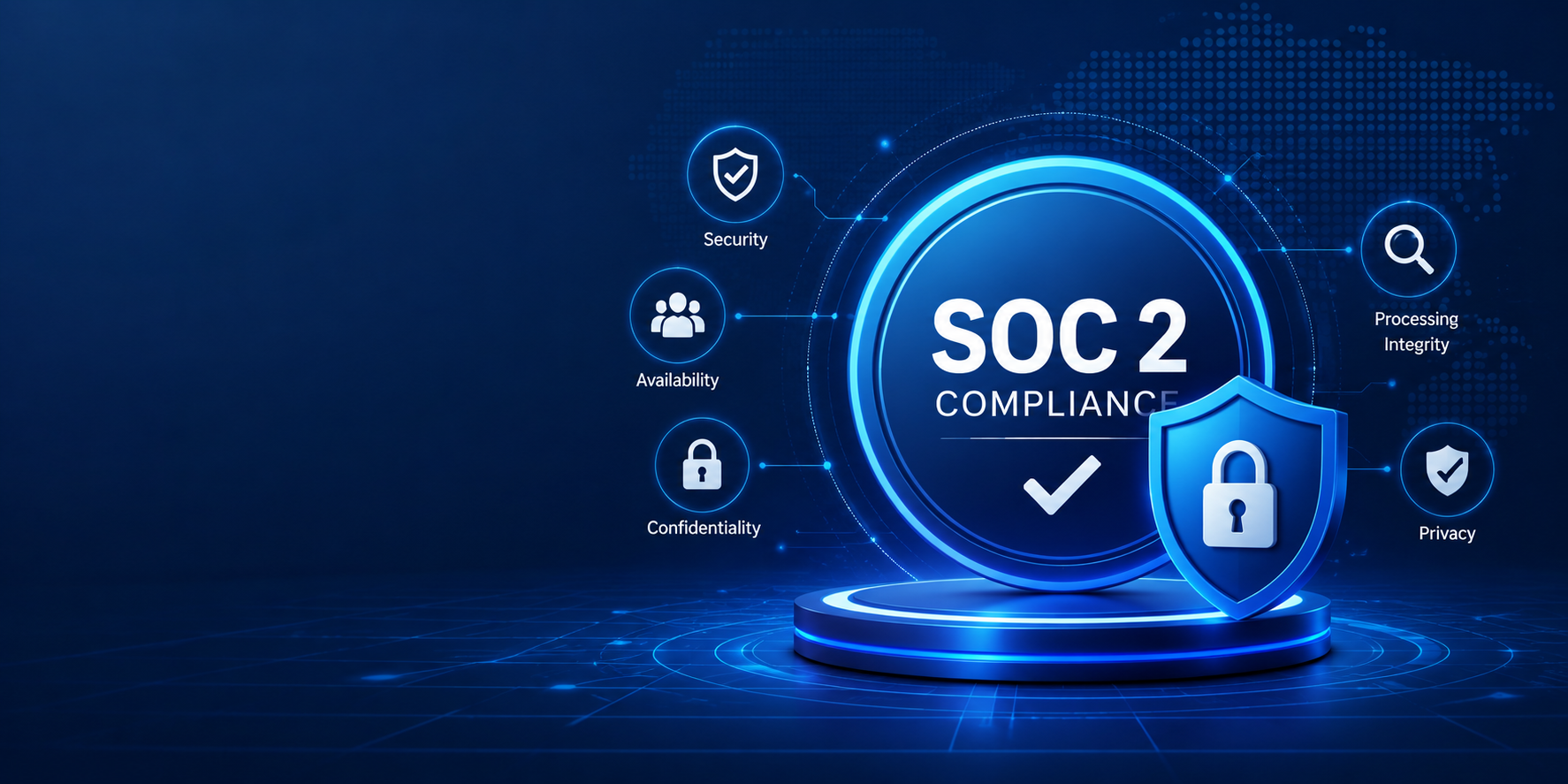
SOC 2 is an independent auditing framework developed by the American Institute of Certified Public Accountants (AICPA). It evaluates how service organizations manage customer data using the Trust Services Criteria.

The five Trust Services Criteria are:

  • Security
  • Availability
  • Processing Integrity
  • Confidentiality
  • Privacy

Organizations preparing for SOC 2 should focus on:

  • Maintaining documented security policies and procedures.
  • Monitoring security controls continuously.
  • Reviewing user access regularly.
  • Performing internal risk assessments.
  • Collecting audit evidence throughout the year.
  • Validating security controls before external audits.

SOC 2 demonstrates to customers that an organization has implemented effective controls for protecting customer information.

ISO 27001 vs HIPAA vs SOC 2

FrameworkBest ForPrimary Focus
ISO 27001Organizations of all sizesInformation Security Management System (ISMS)
HIPAAHealthcare organizations and business associatesProtection of Protected Health Information (PHI)
SOC 2SaaS companies and service providersCustomer data security using Trust Services Criteria

Each framework serves a different purpose, but together they help organizations build a comprehensive security and compliance program.

Common Compliance Challenges

Many organizations face similar obstacles when implementing compliance programs.

Common challenges include:

  • Limited internal security resources.
  • Manual documentation and spreadsheets.
  • Low employee awareness.
  • Managing multiple compliance requirements simultaneously.
  • Keeping pace with evolving cybersecurity threats.

Addressing these challenges requires a structured governance, risk, and compliance (GRC) strategy supported by leadership and continuous improvement.

A Practical 5-Step Compliance Roadmap

Organizations beginning their compliance journey can follow these practical steps:

1. Assess Your Current Security Posture

Identify existing controls, policies, and compliance gaps.

2. Perform a Risk Assessment

Evaluate business risks, technical vulnerabilities, and third-party risks to prioritize remediation efforts.

3. Implement Policies and Security Controls

Develop practical policies, establish security controls, and document operational procedures aligned with applicable compliance requirements.

4. Train Employees

Provide regular training on cybersecurity awareness, data privacy, phishing prevention, secure remote work, and incident reporting.

5. Monitor and Improve Continuously

Conduct internal audits, review security controls, update documentation, and improve processes as business risks evolve.

Benefits of Building a Compliance-First Organization

Organizations that invest in continuous compliance often experience:

  • Greater customer trust.
  • Stronger cybersecurity resilience.
  • Faster enterprise sales cycles.
  • Improved audit readiness.
  • Reduced regulatory and operational risk.
  • Better vendor and partner confidence.
  • Enhanced business reputation.

Compliance becomes more than a regulatory obligation—it becomes a strategic business advantage.

Frequently Asked Questions

What is a culture of compliance?

A culture of compliance is an organizational approach where employees, leadership, and business processes consistently follow security, privacy, and regulatory requirements as part of everyday work rather than only during audits.

Is ISO 27001 mandatory?

No. ISO 27001 certification is voluntary, but many organizations adopt it to improve information security, manage risk effectively, and demonstrate trustworthiness to customers and business partners.

Who needs HIPAA compliance?

HIPAA applies to healthcare providers, health plans, healthcare clearinghouses, and business associates that create, receive, maintain, or transmit Protected Health Information (PHI).

What is the difference between ISO 27001 and SOC 2?

ISO 27001 is an international standard for establishing and managing an Information Security Management System, while SOC 2 is an independent audit framework that evaluates how service organizations protect customer data using the Trust Services Criteria.

Can organizations implement ISO 27001 and SOC 2 together?

Yes. Many organizations implement ISO 27001 as their information security management framework while pursuing SOC 2 to demonstrate security controls to customers. The two frameworks complement each other and share many common security practices.

Why is continuous compliance important?

Continuous compliance helps organizations identify risks earlier, maintain stronger security controls, reduce audit preparation efforts, improve operational resilience, and remain prepared for evolving regulatory requirements.

Final Thoughts

Building a culture of compliance is no longer optional for organizations that handle sensitive information or serve security-conscious customers. ISO 27001, HIPAA, and SOC 2 each provide valuable frameworks for improving governance, strengthening cybersecurity, and demonstrating accountability.

Rather than viewing compliance as a one-time certification or audit, organizations should treat it as an ongoing business capability that supports resilience, customer confidence, and sustainable growth.

Whether your organization is beginning its compliance journey or strengthening an existing program, Prowise Systems provides practical guidance, risk-based strategies, and end-to-end consulting services to help you achieve and maintain long-term compliance.

SOC 2 requirements are the administrative, technical, and organizational controls an organization implements to protect customer data and demonstrate compliance with the American Institute of Certified Public Accountants (AICPA) Trust Services Criteria. Every SOC 2 audit includes the Security criterion, while Availability, Processing Integrity, Confidentiality, and Privacy are selected based on the services your organization provides. Most organizations spend 2–6 months preparing, while a Type II audit requires an additional 3–12 month observation period to verify that controls operate consistently.

At a Glance

Item

Details

Governing Organization

American Institute of Certified Public Accountants (AICPA)

Framework Type

Principles-based

Mandatory Criterion

Security

Optional Criteria

Availability, Processing Integrity, Confidentiality, Privacy

Audit Types

Type I and Type II

Preparation Time

Typically 2–6 months

Type II Observation Period

3–12 months

Report Validity

Generally 12 months

Audit Performed By

Licensed CPA Firm

Best For

SaaS, Cloud Providers, MSPs, FinTech, Healthcare Technology, Data Processors

What Are SOC 2 Requirements?

SOC 2 requirements are the administrative, technical, and organizational controls an organization puts in place to prove that customer data is handled securely, in line with the Trust Services Criteria.

In practice, this means three things have to exist at once: a written policy that says what you do, a technical control that actually does it, and evidence that proves it happened consistently over time. Auditors fail companies far more often for the third piece — missing evidence — than for a weak policy document.

Across a SOC 2 engagement, this generally shows up as:

  • Security governance and risk assessment
  • Access management and least-privilege enforcement
  • Documented security policies
  • Employee security awareness training
  • Vendor and third-party risk management
  • Incident response procedures
  • Business continuity and disaster recovery planning
  • System monitoring and logging
  • Change management for code and infrastructure
  • Data protection and encryption
  • Continuous evidence collection

The SOC 2 Trust Services Criteria, Explained

Every SOC 2 audit is scored against one or more of five criteria. Security is the only one every company must include; the other four are chosen based on what you actually promise customers in your contracts or SLAs.

1. Security (Mandatory)

This is the baseline every SOC 2 report includes, regardless of industry. It covers protection against unauthorized access — both external attackers and internal misuse.

Expect to demonstrate: firewalls and network segmentation, multi-factor authentication (MFA), endpoint protection, vulnerability management, centralized logging, access controls, encryption at rest and in transit, active security monitoring, a documented risk management process, and a tested incident response plan.

2. Availability

Add this criterion if your contracts include uptime commitments or SLAs. It measures whether your systems stay operational and recoverable, not whether they’re fast.

Auditors look for backup procedures, a disaster recovery plan that’s actually been tested (not just written), business continuity planning, infrastructure monitoring, capacity planning, and redundancy across critical systems.

3. Processing Integrity

Relevant if your platform processes transactions, calculations, or data transformations customers rely on being accurate — payment processors and billing platforms almost always include this.

This means validation controls, error detection, quality assurance checks, transaction verification, and ongoing processing reviews.

4. Confidentiality

Applies when you handle non-public information beyond standard personal data — contracts, IP, business plans, or anything under an NDA.

Controls typically include data classification, encryption, strict access restrictions, secure storage, and documented, provable data disposal procedures.

5. Privacy

This applies specifically to personal information collected from individuals, and it overlaps with — but is not a replacement for — GDPR or CCPA compliance.

Expect requirements around privacy notices, consent management, data subject access rights, secure deletion processes, and a published privacy policy that matches what you actually do.

Core SOC 2 Requirements Every Organization Must Meet

Information Security Policies

Auditors expect a documented policy set, not a single master document. At minimum: information security policy, password policy, acceptable use policy, remote work policy, asset management policy, data handling policy, encryption policy, incident response policy, and vendor management policy. These need version history and evidence that employees have actually read and acknowledged them — a policy nobody’s seen doesn’t count as a control.

Risk Assessment

This should be a living process, not an annual box-check. Organizations need to identify risks, evaluate the likelihood and impact of each threat, prioritize remediation, and revisit the assessment when something material changes — a new vendor, a new product line, a security incident.

Evidence auditors ask for: a risk register, dated annual (or more frequent) reviews, and documented treatment plans for identified risks.

Access Control

The principle is least privilege — people get access to exactly what their role requires, nothing more.

This requires MFA everywhere it’s supported, role-based access control, a documented joiner-mover-leaver (onboarding/offboarding) process, periodic privileged access reviews, and strong authentication across all critical systems.

Change Management

Every code deployment and infrastructure change needs a paper trail: documented changes, testing evidence, approval sign-off, and a rollback plan if something breaks. Auditors will sample actual change tickets, so this can’t just be a policy — it has to match what’s happening in your ticketing system.

Incident Response

A written incident response plan needs defined roles, escalation paths, an investigation process, a customer communication protocol, and — critically — a lessons-learned step after every real incident. Auditors specifically check whether past incidents actually fed back into policy updates.

Security Awareness Training

Training needs to happen on a set cadence (usually annually, ideally with phishing simulations more frequently) and cover phishing, password hygiene, social engineering, safe data handling, insider threat awareness, and how to report a suspected incident.

Vendor Management

Any third party touching your data or infrastructure needs a documented risk assessment, a security review before onboarding, contractual security terms, and periodic reassessment — not just a one-time check at signing.

Asset Management

You need a current inventory of servers, cloud resources, applications, endpoints, databases, and software licenses. Auditors will ask how you know an asset has been decommissioned, not just how you tracked it when it was active.

Logging and Monitoring

Centralized visibility into authentication events, administrative actions, security alerts, network activity, cloud infrastructure, and critical applications — with alerting that someone is actually accountable for reviewing.

Vulnerability Management

Regular vulnerability scanning, a defined patch management SLA, periodic penetration testing, and a tracked remediation process through to verified closure.

Documentation Required for SOC 2

Auditors will request most or all of the following:

  • Information Security Policy
  • Risk Assessment
  • Asset Inventory
  • Access Control Policy
  • Incident Response Plan
  • Disaster Recovery Plan
  • Business Continuity Plan
  • Vendor Management Policy
  • Employee Handbook
  • Security Awareness Training Records
  • Change Management Policy
  • Backup Procedures
  • Monitoring Procedures
  • Password Policy
  • Encryption Policy

Technical Controls Auditors Verify

MFA, endpoint detection and response (EDR), antivirus/anti-malware, SIEM or centralized log monitoring, cloud security configuration, encryption in transit and at rest, tested backups, email security (SPF/DKIM/DMARC, phishing filtering), and identity/access management tooling.

Administrative Controls

Policies, procedures, risk management processes, training programs, governance structure, internal control reviews, internal audits, and ongoing compliance monitoring.

Physical Security Requirements

Relevant if you operate physical offices or data centers: badge/access control at entry points, visitor logs, CCTV coverage, secure equipment disposal, and environmental controls (fire suppression, climate control) for server rooms.

SOC 2 Type I vs. Type II Requirements  

Feature

Type I

Type II

Evaluates design of controls

Yes

Yes

Evaluates operating effectiveness over time

No

Yes

Audit period

Single point in time

3–12 months

Customer preference

Moderate

High

Market recognition

Good

Excellent

Most companies use Type I as a fast first step to unblock an urgent deal, then move to Type II once they have a track record of controls actually running. Enterprise buyers increasingly ask for Type II by default, so treat Type I as a bridge, not a destination.

Common Evidence Auditors Request

Security policies, employee training completion records, documented risk assessments, access review logs, MFA configuration screenshots, backup success reports, vulnerability scan reports, penetration test reports, change management tickets, incident records, vendor security reviews, audit/system logs, asset inventory exports, and HR onboarding/offboarding records.

SOC 2 Compliance Checklist

  1. Define audit scope and select applicable Trust Services Criteria
  2. Perform a formal risk assessment
  3. Develop and publish security policies
  4. Implement technical controls (MFA, encryption, monitoring, EDR)
  5. Configure and document access management
  6. Enable centralized logging and alerting
  7. Roll out employee security awareness training
  8. Conduct an internal readiness assessment (gap analysis)
  9. Collect and organize audit evidence
  10. Complete the independent SOC 2 audit
  11. Remediate any findings
  12. Maintain continuous compliance between audit cycles

Common Challenges Organizations Face

In our experience running SOC 2 readiness assessments, the same handful of gaps show up repeatedly: incomplete or scattered documentation, no centralized place to store evidence, weak or inconsistent access reviews, missing or outdated risk assessments, inconsistent change management records, limited security monitoring coverage, thin vendor oversight, and low employee awareness of the policies that technically exist.

The most common single point of failure we see in first-time Type II audits is access review evidence — companies have the control in place but can’t produce a consistent, dated log proving it ran every quarter.

Frequently Asked Questions

SOC 2 requires organizations to implement controls aligned with the Trust Services Criteria — security, and optionally availability, processing integrity, confidentiality, and privacy — supported by documented policies, access controls, monitoring, and incident response procedures.

Yes. Security is the only mandatory Trust Services Criterion. Availability, Processing Integrity, Confidentiality, and Privacy are added based on the services and commitments your organization actually offers customers.

No. SOC 2 and ISO 27001 are separate, independent frameworks. Many organizations pursue both because the underlying controls overlap significantly, which reduces duplicate work. (See our guide on ISO 27001’s three pillars for how the two frameworks compare.)

Preparation typically takes 2–6 months depending on how mature your existing security program is. A Type II audit additionally requires an observation period, commonly 3–12 months, during which your controls need to actually operate — not just exist on paper.

Auditors commonly review policies, risk assessments, access logs, employee training records, monitoring reports, vulnerability scans, incident records, vendor assessments, and change management documentation, generally covering the full observation period for a Type II audit.

Conclusion

Meeting SOC 2 requirements is less about checking boxes and more about building a security and governance program that keeps running on its own, month after month. The organizations that pass with the fewest findings are the ones that treat evidence collection as routine — not something they scramble to assemble the week before the audit.

If you’re mapping out where your organization currently stands, our team has guided companies through SOC 2, ISO 27001, and CMMI appraisal readiness simultaneously, and can help you scope exactly which Trust Services Criteria apply to your business before you spend a single hour on documentation.

Organizations pursuing SOC 2 compliance often ask whether they need a SOC 2 Type I report or a SOC 2 Type II report. While both are based on the American Institute of Certified Public Accountants (AICPA) Trust Services Criteria (TSC), they evaluate different aspects of an organization’s security controls.

SOC 2 Type I assesses whether security controls are properly designed at a specific point in time, whereas SOC 2 Type II evaluates whether those controls operate effectively over a defined period, typically three to twelve months. Most enterprise customers prefer a SOC 2 Type II report because it demonstrates consistent operational effectiveness rather than a one-time assessment.

What Is SOC 2?

SOC 2 is a cybersecurity and compliance framework designed for organizations that store, process, or manage customer information. It helps businesses demonstrate that they have implemented effective controls to protect sensitive data and manage security risks.

SOC 2 assessments are based on the Trust Services Criteria (TSC):

  • Security
  • Availability
  • Processing Integrity
  • Confidentiality
  • Privacy

Unlike many compliance standards, SOC 2 does not prescribe one fixed set of controls. Instead, organizations design and implement controls appropriate to their business, technology, and risk profile. An independent CPA firm then evaluates whether those controls satisfy the selected Trust Services Criteria.

SOC 2 is widely adopted by:

  • SaaS companies
  • Cloud service providers
  • Managed Service Providers (MSPs)
  • FinTech companies
  • Healthcare technology organizations
  • IT service providers
  • Data centers

What Is SOC 2 Type I?

SOC 2 Type I evaluates whether an organization’s security controls are appropriately designed on a specific assessment date.

During the audit, the CPA reviews policies, procedures, governance, and technical controls to determine whether they have been properly implemented.

Type I focuses on control design, not long-term performance.

Type I is ideal for:

  • Startups
  • Early-stage SaaS companies
  • Organizations implementing SOC 2 for the first time
  • Businesses preparing for enterprise sales
  • Companies responding to customer security questionnaires

Advantages of SOC 2 Type I

  • Faster than Type II
  • Demonstrates commitment to security
  • Provides a strong compliance foundation
  • Helps identify control gaps before a Type II audit
  • Supports early customer trust

What Is SOC 2 Type II?

SOC 2 Type II evaluates whether security controls are not only properly designed but also operate effectively over a defined observation period, usually between three and twelve months.

Instead of reviewing controls at a single point in time, auditors examine evidence collected throughout the audit period to verify that controls consistently function as intended.

Because it demonstrates ongoing operational effectiveness, Type II provides greater assurance to customers and stakeholders.

Type II is recommended for

  • Mature SaaS companies
  • Enterprise software providers
  • FinTech organizations
  • Healthcare companies
  • Cloud infrastructure providers
  • Managed Service Providers
  • Organizations processing sensitive customer information

Advantages of SOC 2 Type II

  • Higher customer confidence
  • Stronger enterprise acceptance
  • Demonstrates operational maturity
  • Supports vendor security assessments
  • Improves competitive positioning

SOC 2 Type I vs Type II Comparison

Feature

SOC 2 Type I

SOC 2 Type II

Purpose

Evaluate control design

Evaluate design and operating effectiveness

Assessment

Point in time

Over an observation period

Observation Period

Not required

Usually 3–12 months

Operating Effectiveness

No

Yes

Evidence

Policies and implemented controls

Policies, controls, logs, and operational evidence

Audit Duration

Shorter

Longer

Level of Assurance

Moderate

High

Enterprise Acceptance

Good

Preferred

Which Report Should You Choose?

Choosing the right SOC 2 report depends on your organization’s maturity, customer expectations, and business goals.

Choose SOC 2 Type I if:

  • You are beginning your SOC 2 journey.
  • Your security controls have recently been implemented.
  • Customers require an initial security assessment.
  • You want to establish a foundation before pursuing Type II.

Choose SOC 2 Type II if:

  • Enterprise customers require ongoing assurance.
  • Your controls have been operating consistently for several months.
  • You want to strengthen customer trust.
  • Your organization regularly handles sensitive customer information.
  • You are preparing for enterprise procurement or vendor reviews.

Can You Move from Type I to Type II?

Yes.

Many organizations begin with a Type I assessment to confirm that their controls are properly designed. After operating those controls consistently and collecting sufficient evidence, they undergo a separate Type II audit.

This phased approach helps organizations build a mature compliance program while reducing implementation risks.

Common Misconceptions

SOC 2 Type I is inferior.

Not at all. Type I validates that appropriate controls have been established. It is often the right first step for growing organizations.

SOC 2 Type II is permanent.

No. Organizations should continue maintaining effective controls and periodically obtain updated reports to demonstrate ongoing compliance.

Type I automatically becomes Type II.

No. Type II requires a separate audit covering an observation period.

SOC 2 is a certification.

Technically, SOC 2 is an independent attestation report, although many businesses informally refer to it as a certification.

Common Challenges During SOC 2 Audits

Organizations frequently encounter:

  • Missing documentation
  • Weak identity and access management
  • Incomplete evidence collection
  • Inconsistent policy implementation
  • Limited employee security awareness
  • Poor vendor risk management
  • Delayed remediation of identified gaps

Addressing these issues before the audit significantly improves readiness and increases the likelihood of a successful outcome.

Best Practices for a Successful SOC 2 Journey

To improve audit readiness:

  • Define the audit scope early.
  • Conduct a gap assessment before implementation.
  • Develop clear security policies and procedures.
  • Maintain audit evidence continuously.
  • Review access permissions regularly.
  • Train employees on security responsibilities.
  • Monitor vendors and third-party risks.
  • Perform internal reviews before the formal audit.

Organizations that prepare proactively generally complete audits more efficiently and experience fewer remediation issues.

Frequently Asked Questions

Most startups begin with SOC 2 Type I because it demonstrates that appropriate controls have been established while providing a foundation for future Type II compliance.

Most enterprise customers prefer SOC 2 Type II because it demonstrates ongoing operational effectiveness rather than a one-time review.

The observation period typically ranges from three to twelve months, depending on the agreed scope and audit objectives.

Yes. Organizations with mature security controls and sufficient operational evidence can proceed directly to a Type II audit.

SOC 2 is not legally mandatory. However, many enterprise customers, investors, and business partners require a current SOC 2 report before entering commercial agreements.

How Prowise Systems Can Help

Prowise Systems offers comprehensive SOC 2 consulting services to assist organisations in preparing for successful Type I and Type II audits.

Our services include:

  • SOC 2 readiness assessments
  • Gap analysis
  • Risk assessments
  • Documentation and policy development
  • Security control implementation
  • Remediation support
  • Audit preparation
  • Continuous compliance guidance

Whether you are pursuing your first SOC 2 report or expanding your existing compliance program, our consultants help simplify the process while strengthening your organization’s security posture.

Conclusion

SOC 2 Type I and SOC 2 Type II serve different purposes, and choosing the right report depends on your organization’s current maturity, customer expectations, and long-term business objectives.

Type I demonstrates that appropriate controls have been designed and implemented, making it an excellent starting point for organizations beginning their compliance journey. Type II goes further by validating that those controls operate effectively over time, providing stronger assurance to customers, partners, and enterprise buyers.

If you’re planning your SOC 2 journey, starting with a readiness assessment can help identify gaps, prioritize improvements, and prepare your organization for a successful audit.

Ready to achieve SOC 2 compliance? Contact Prowise Systems to discuss your compliance goals and build a roadmap tailored to your business.